
Procurement
Safety Stock Simulator: compare different methods and find the right balance between inventory and service level
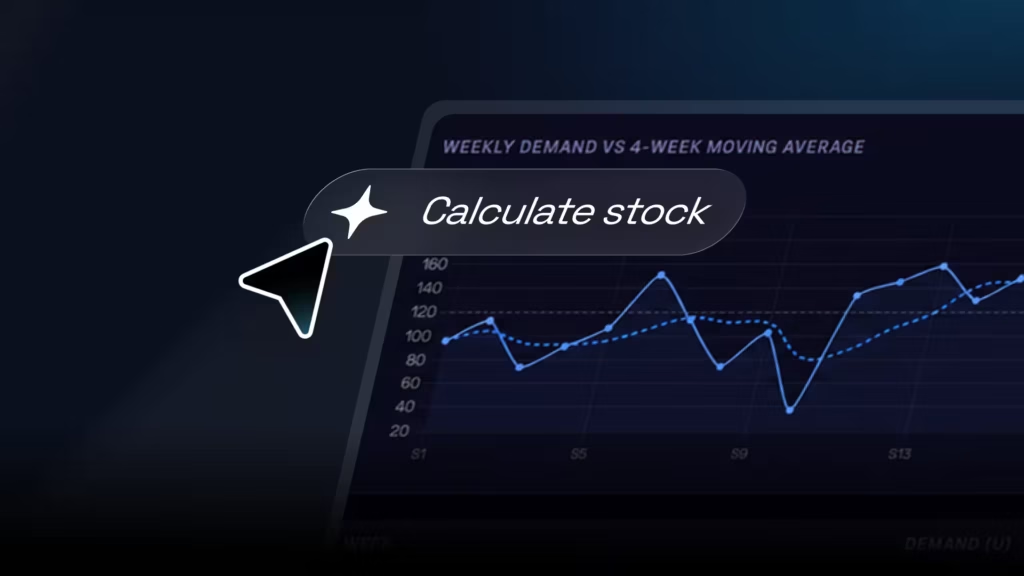
Imperia’s Safety Stock Simulator is an online tool that lets you compare different ways of calculating safety stock for an SKU. You can see how each approach affects service levels, stockouts, average inventory and the associated costs.
The tool uses the same 52-week demand simulation to assess five safety stock policies under comparable conditions. This lets you see how each method responds to changes in demand and decide which approach offers the best balance for your scenario.
What is a safety stock simulator for?
Safety stock provides a buffer against events that cannot always be predicted accurately, such as changes in demand, forecast errors or replenishment lead times that call for additional inventory.
The challenge is finding the right level.
Too little safety stock can increase the risk of stockouts and reduce your service level. Too much raises average inventory and the cost of holding it.
The simulator helps you see this trade-off and compare calculation methods before setting an inventory policy.
You can use it to:
- Compare different methods of calculating safety stock.
- Analyse the impact of demand variability.
- Assess how lead time affects your inventory requirements.
- Explore the relationship between stock and service level.
- Identify scenarios with a risk of stockouts.
- Compare stockout costs with inventory holding costs.
- Analyse the reorder point for each option.
- Run simulations by changing your planning parameters.
Set your demand parameters
To get started, enter the SKU’s average weekly demand and its standard deviation.
Standard deviation represents how much demand varies. Two products may have the same average demand but need very different inventory policies if one has steady consumption and the other fluctuates considerably.
The tool uses these parameters to generate a single 52-week demand series, which is then applied to all five methods.
In the Base Demand section, you can review the simulation’s main measures:
- Average demand.
- Standard deviation.
- Coefficient of variation.
- Maximum demand.
- Minimum demand.
- MAD, or mean absolute deviation.
- Cumulative demand.
A chart also shows weekly demand alongside its four-week moving average.
Define your lead time
The next parameter is average lead time, expressed in weeks.
Lead time is the time it takes to replenish inventory. It matters when setting safety stock because it determines how long your available stock needs to cover demand before the next replenishment arrives.
Change this parameter to see how the safety stock and reorder point calculated by each method respond.
Choose your target service level
The tool lets you work with different service level targets:
- 90%.
- 95%.
- 99%.
- 99.9%.
The service level represents the degree of protection you want against a potential stockout.
A higher target usually requires more safety stock. The simulation shows this effect and the cost of maintaining a policy that provides greater protection.
Enter inventory holding and stockout costs
To include the financial impact in your analysis, you can set two main costs.
The stockout cost per unit represents the financial impact you assign to demand that cannot be met.
The holding cost per unit per week represents the cost of keeping inventory over the period analysed.
With these parameters, the tool does more than calculate how many units to hold. It also shows the trade-off between the cost of carrying more inventory and the financial risk of stockouts.
Compare five methods of calculating safety stock
One of the simulator’s main advantages is that it applies five different methods to exactly the same demand series.
- Fixed safety stock
This method lets you set a fixed number of units manually.
It is useful for comparing your current policy or an internal business rule with other calculation methods.
For example, if you always hold 200 units of safety stock, you can enter that figure and see how the policy would perform over the 52 simulated weeks.
- Service-level-based safety stock
This method uses your target service level, the standard deviation of demand and lead time.
The formula is:
SS = z × σ × √LT
Where:
• z is the factor associated with the service level.
• σ is the standard deviation of demand.
• LT is lead time.
This approach links the desired level of protection directly to demand uncertainty.
- Safety stock based on days of cover
This method lets you specify how many extra days of demand you want to hold as a buffer.
The tool converts those days of cover into units using average demand.
It is straightforward to interpret and is common in organisations with policies such as “hold an additional two weeks of stock”.
The simulator lets you compare this approach with methods that account directly for demand variability.
- Safety stock based on maximum demand
This method uses the difference between the maximum demand observed in the simulation and average demand.
The tool combines that difference with lead time to calculate safety stock.
It provides protection based on the demand peaks recorded in the scenario being analysed.
- Safety stock based on forecast error
The fifth method uses MAD, or mean absolute deviation, as a measure of variability or forecast error.
The formula is:
SS = z × MAD × √LT
This approach relates safety stock to the observed level of demand error and your selected service level target.
Analyse the reorder point
As well as safety stock, the tool automatically calculates the reorder point, or ROP, for each method.
The reorder point is the inventory level at which a new replenishment should be triggered under the conditions set in the simulation.
This lets you examine two decisions together:
- How much safety stock to hold.
- When to trigger replenishment.
Compare the results of all five methods
The Comparison section brings together the results of the five inventory policies.
For each method, you can review:
- Safety stock.
- Reorder point.
- Average stock.
- Actual service level achieved.
- Number of weeks with a stockout.
- Stockout costs.
- Inventory holding costs.
- Total simulation cost.
You can also compare the safety stock and total cost of each method visually, and view how inventory changes over the 52 weeks in a single chart.
The tool automatically highlights the option with the lowest total cost in the simulation.
This result is a reference point for weighing cost, service and risk under the parameters you entered. It should not be treated as a recommendation that applies to every situation.
Analyse each policy week by week
If you want to examine a particular method in more detail, open its individual tab.
Each method includes a detailed 52-week simulation showing:
- Weekly demand.
- Opening stock.
- Receipts.
- Available stock.
- Closing stock.
- Stockouts.
- Costs caused by stockouts.
- Holding costs.
The stock chart also shows how inventory behaves in relation to the reorder point.
This is particularly useful for understanding why two methods with different safety stock levels can produce different service levels or costs.
Change the parameters and compare scenarios
You can change all the main parameters from the control panel.
For example, you can adjust:
- Average demand.
- Demand variability.
- Lead time.
- Target service level.
- Stockout cost.
- Inventory holding cost.
- Fixed safety stock.
- Days of cover.
The tool recalculates the results automatically, allowing you to run sensitivity analyses and compare scenarios.
For example, you can explore what happens if demand becomes more variable, a supplier’s lead time increases or you raise your target service level from 95% to 99%.
Find the right balance between service and inventory
There is no single safety stock level that works for every business, product or situation.
The right policy depends on factors such as demand variability, lead time, stockout costs, inventory value and the service level you want to provide.
The Safety Stock Simulator helps you see how these factors interact and compare your options in a structured way.
You will gain a clearer view of how each policy affects inventory and service, supporting more informed stock planning and management decisions.
Use the simulator to test different scenarios and find an inventory policy suited to your operation.